Stabilizing an AI Coding Workflow Takes More Than Better Prompts
- Giko
- Ai , Workflow , Automation
- April 21, 2026
Table of Contents
One thing has become much clearer to me lately: the hardest part of an AI coding workflow is not getting it to start. It is getting it to keep producing stable output over time.
When people first build automation, they usually focus on how to write fuller instructions, provide more context, or make an agent do more in one pass. But once the workflow actually runs, you quickly realize that success is not decided by whether it can move. It is decided by whether it can avoid getting stuck.
The biggest problem with a single agent is not laziness, but repetition
On the surface, a single agent looks diligent.
You give it a goal, and it analyzes, executes, and reports back. The flow looks complete. But if the top-level instruction is simplified and the visible context is limited, the agent can easily keep making the same judgment at the same blocking point.
That is what makes this failure mode so annoying. It does not fully stop. Instead, it keeps producing actions that look like progress:
- checking the same issue again and again
- reaching the same conclusion again and again
- treating the same blocker as the only main thread
- ending with no genuinely new output
In other words, what slows the workflow down is often not lack of capability. It is the agent falling into a stable but wrong local loop.
If you want stability, use multiple viewpoints instead of piling on more instructions
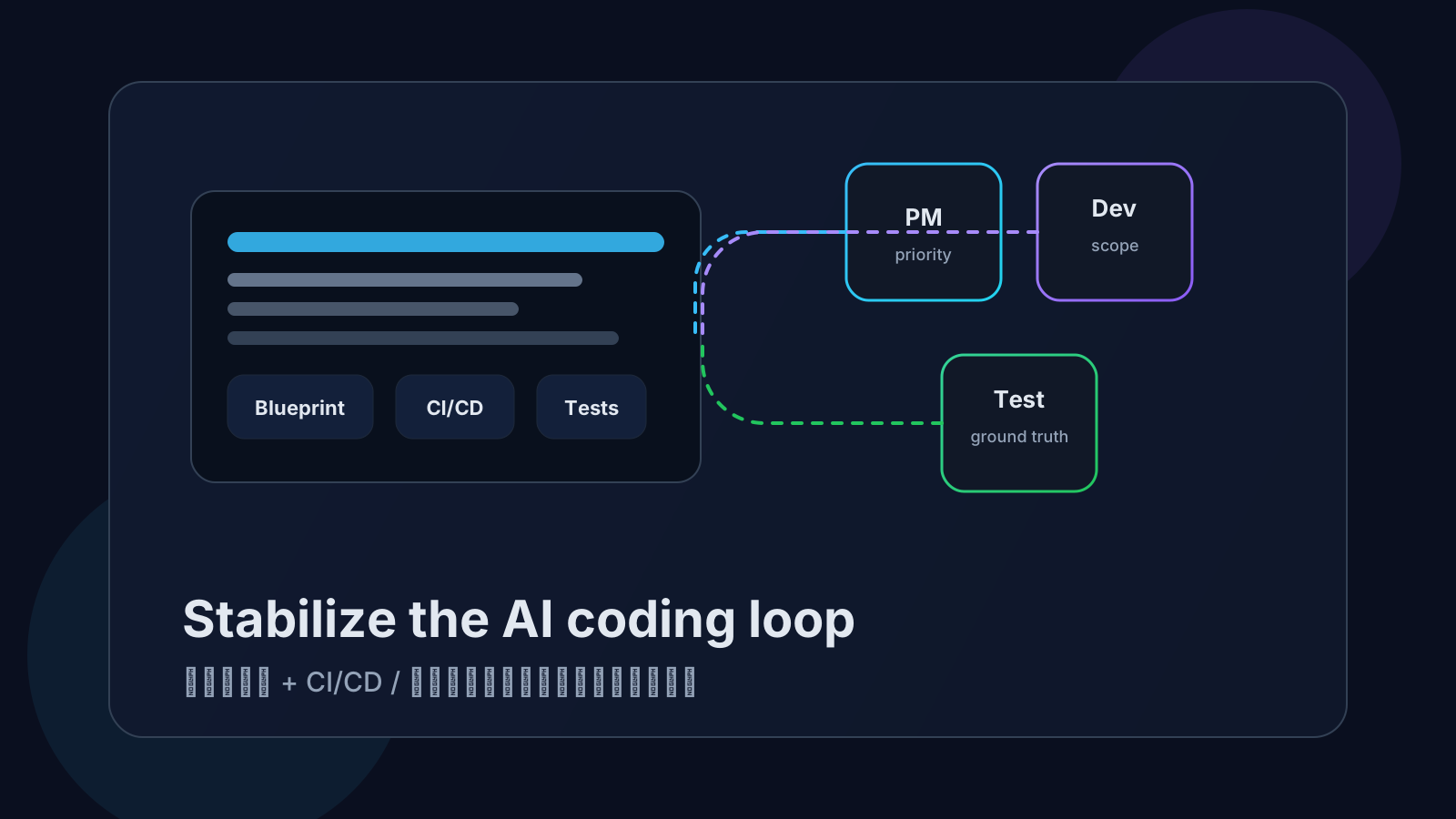
I now prefer splitting this kind of workflow into different roles instead of forcing everything onto one agent.
At least in practice, these viewpoints matter:
- product-manager viewpoint: read the blueprint, decide priorities, and choose what should move first
- design/development viewpoint: inspect architecture, implementation boundaries, and safe iteration scope
- testing viewpoint: verify results only, and state clearly what is true versus what is merely blocked for now
The benefit is direct.
If testing gets stuck at one point, the whole workflow does not have to freeze. The product-manager viewpoint can still look at the blueprint and pick adjacent secondary work. The design/development viewpoint can still judge what can move forward safely. That way, one local blocker does not reduce total output to zero.
Put differently, the real advantage of multiple agents is not that they become smarter. It is that they are less likely to crash into the same dead end together.
Another common problem is that agents bypass your real feedback loop
There is another easy trap to miss: agents often try to be clever.
Even when you already have CI/CD, deployment environments, and test sites in place, they do not always choose those existing feedback surfaces first. Very often they pull code locally, compile locally, validate locally, and then let that local result guide the next step.
The biggest problem is not that they did extra work. The problem is that they validated the wrong thing.
What they validate is:
- the dependency state on the current machine
- that one local runtime environment
- a partial scenario they constructed themselves
But what you usually care about is:
- whether CI/CD passed online
- whether the deployed site works after release
- whether the real behavior in the test environment matches expectations
If an agent ignores the second set and only watches the first, it can run farther and farther inside the wrong feedback loop. It looks busy on the surface, while drifting farther away from the real problem.
So the toolchain loop should be closed from the beginning
My current view is that if you want an AI coding workflow to remain useful over time, the toolchain loop has to be designed in early, not patched in after the workflow becomes messy.
At minimum, agents should be able to:
- access existing CI/CD results
- access the deployed test site
- read the real blueprint, design notes, and context documents
- distinguish local guesses from online ground truth
- know which signals deserve priority
If this part is weak, the most active part of the workflow may not be the part closest to the truth.
My definition of “stable” has changed too
I used to think a workflow was stable as long as it could keep running by itself.
Now I prefer a different definition:
Stability is not continuous execution. Stability is the ability to avoid repeating the same wrong way of executing when the workflow hits a blocker.
I only consider a workflow mature when it can do two things:
- prevent a single agent from spinning on the same blocker for too long
- stay attached to the real online feedback chain instead of trusting the wrong local signal set
Before those two issues are solved, “automation” often just means scaling confusion automatically.
Conclusion
If you want an AI coding workflow to stabilize, the key is not adding more prompt engineering. It is solving two basic problems first: prevent a single agent from looping on the same blocker, and close the toolchain feedback loop as early as possible.
The first decides whether the workflow gets dragged down by a single local problem. The second decides whether the feedback it trusts is actually a real signal from the world. Once those two things are in place, AI coding stops being something that merely looks busy and starts becoming something that truly produces continuously.